6/19/2012

Instapaper (for iPad)


The Instapaper 4.2.2 ($4.99) bills itself as "a simple tool to save Web pages for reading later." That is an apt description, as it lets anyone with an iPhone, iPad, or iPod touch—and a serious Web browsing habit—save Web articles and read them offline, or at a more convenient time. The latest version features a number of additions since the app's 2010 debut, fixing many of the issues we had with the app's initial release.


How It WorksWhen Instapaper first launched, you had to first register at Instapaper.com, as you couldn't create an account from within the app. No more. Instapaper now lets you sign up for an account from within the app, which makes it feel like a true standalone piece of software instead of an extension of the website.

Tapping the Web icon opens an address bar in which you can key in an URL. I like that I could do this within Instapaper and not in Safari; Pocket (free, 4 stars), Instapaper's rival "read it later" app, requires you to install a bookmarklet into mobile Safari which has a somewhat confusing setup. When you come across a webpage of note, you simply tap "Read Later" in the upper-right corner of the screen to bookmark the page. Saved sites synced to the Web version of Instapaper nearly instantaneously, but, curiously, I couldn't save a few top-level domains, only their individual pages.

There's also an applet that you can drag onto your computer's Web browser. This will add a "Read Later" option to your bookmark list. From that point on, any time you visit a Web page, or even see a headline in Google Reader, you can Click Read later to send it to Instapaper.
You can view all of your saved pages by tapping the "Read Later" icon. The links are presented in a grid that features the articles title and the first few lines of text. Tapping a square opens a stripped down version of the story with just text and images, but you can use the "Open in Browser" option to see the real deal. As with Pocket, Instapaper lets you can read these articles without a wireless connection, this makes Instapaper ideal for commuting home on the subway, or any scenario where you would be unable to connect to the Web. You can also read your Instapaper collection on the Web using any browser, but of course, that requires an Internet connection. Once you have read an article, you can move it to your archive. The app will store up to 500 articles.

Unfortunately, you need to shell out additional money to search article text: $2.99 for a 3 month subscription, $5.99 for a 6 month subscription, and $11.99 for a 1 year subscription. Frankly, this comes off as a bit of a nickel-and-dime as I've already dropped $5 on the app—search should be included at no extra charge. Still, it's not huge ding as most users won't need the feature.

ExtrasInstapaper serves up numerous sharing options. You can fire off links to others via email, Evernote, Facebook, Pinboard, Tumblr, and Twitter. You can also sign into any of those services to find friends who've liked articles on Instapaper. I liked this, as I was able to check out articles from people with similar interests. Pocket lacks this social element.
Instapaper also has a section called "The Feature," editorial selections from the best articles saved to Instapaper. The stories came from outlets such as The Atlantic, The New Yorker, Wired, and other high-profile and popular outlets.

The Wrap on InstapaperInstapaper represents everything I love about software—it's a simple, elegant solution to a universal problem. It isn't as real-time or interactive as Flipboard (Free, 4.5 stars), but that's because it's designed for offline reading (in fact, you can use Instapaper to save Flipboard articles). To be clear, if you aren't the type of person who finds the Web filled with curious stories that you would read if you just had a little more time, Instapaper isn't for you. For me, however, Instapaper is an essential app; its overall usefulness makes it an Editors' Choice award winner, and a must-download for any iPad owner.
 

5/04/2012

Best LCD Monitor

Monitors can be broken down into several categories, classified by price range and intended use, from gaming and entertainment to business use, to professional grade displays for photo and video editing. 

For many buyers, the first consideration will be the price above all else. While high-end displays will often be priced at $1,000 or higher, you can still find plenty of decent mid-range monitors for less than half that price. Business users will often benefit from features like built-in USB hubs that allow peripherals to be connected to the monitor instead of the PC tower, and power-usage profiles that help companies manage their electricity costs across an entire computer-using staff.  


For anyone working with photo and video, clear and accurate images are a must. To get truer colors, most photographers and graphic designers opt for a monitor with In-Plane Switching (IPS), a technology which offers clearer detail and a wider color gamut. Larger monitors also provide wide canvases for the digital artist to work on, or to display their work.

Gamers and home-theater enthusiasts will want a monitor that does more than offer bright colors and sharp details—they also need a display that can handle the fast moving images of games and movies without blurring and smearing across the screen. For these users, we recommend finding a monitor with a faster response rate, which is the time (measured in milliseconds) it takes for a pixel to transition from one color to another or to transition from black to white. You may also want to find a display that goes beyond the two-dimensional—3D capable displays offer an immersive aspect to games and films that normal displays cannot match.


FEATURED IN THIS ROUNDUP:

Asus VG278H

$699 list
The Asus VG278H has everything you need to enjoy realistic 3D gaming right out of the box. It may be a bit pricey and lack USB ports, but this 27-inch gaming monitor offers a lot of bang for your buck in terms of performance and features. Read the full review ››


Lenovo ThinkVision LT1421

$199.99 list
The Lenovo ThinkVision LT1421 portable 14-inch monitor is a great travel companion for users requiring more screen real estate while on the road. Read the full review ››


Asus PA246Q

$499 list
The Asus PA246Q is a 24-inch IPS monitor that delivers professional grade performance and a robust feature set at a reasonable price. Read the full review ››


Lenovo LS2421p Wide

$219.99 direct
The Lenovo LS2421p Wide is an affordable 23.6-inch monitor that delivers solid color and text performance without using much power. Read the full review ››


Viewsonic VX2753mh

$349.99 list
The ViewSonic VX2753mh is an energy efficient 27-inch display that delivers great all around performance for a reasonable price. Read the full review ››


Apple Thunderbolt Display

$999 direct
The 27-inch Apple Thunderbolt Display delivers solid picture and audio quality in a stylish aluminum cabinet, but it doesn't come cheap. Read the full review ››


NEC MultiSync PA301W

$2,299 list
The NEC MultiSync PA301W is a professional grade 30-inch display offering excellent color and grayscale performance at a premium price. Read the full review ››


NEC MultiSync EA273WM

$499 list
The NEC MultiSync EA273WM is a slim 27-inch business monitor offering a robust feature set and vibrant colors. It'll save you money on your electric bill, but you'll pay a bit more at the register. Read the full review ››

4/20/2012

Best Android and iOS Tablet PC For Kids

There are so many android tablet for kids available in the market and choosing the best one can be quite difficult. To help us making the right choice, then these 10 best android and iOS tablet PC for kids reviews can be our guide.

1. uDraw Tablet

uDraw TabletThe first best tablet for kids is uDraw tablet. From the appearance, the tablet looks like one that especially made for gaming. Well, it is true because the tablet is actually released from the first time for Nintendo Wii, but later is made for Microsoft Xbox 360 and Sony PlayStation 3. This tablet can be connected to TV and watch a movie or any video in HD. Our children can use the tablet for gaming and drawing. Not only the regular drawing, but children can draw online. The tablet is completed with stylus that will make drawing so much fun. In US, the tablet is sold in $79.99. Click Here for more reviews.

2. Karuma's PlayBase Tablet

Karuma's PlayBase Tablet
This PlayBase tablet is made from Singapore. It is the slimmest 7 inch tablet nowadays. This world’s slimmest tablet is only 9.7mm thick and the durability of the tablet is very excellent. The tablet appearance is simple, it looks like an iPad, with blue edge framing. The edge framing of the best tablet for kids is made from silicone that will make protects the tablet from shock. This tablet has been completed with WiFi connectivity with Gingerbread Android OS. It is supported by 1.2GHz Rockchio Cortex A8 for the processor and 1GB DDR3 RAM. Click Here for more reviews.

3. LeapFrog LeapPad Explorer

LeapFrog LeapPad Explorer
LeapFrog is one of the most popular brands and top tablets for kids for children’s gadget. The design of the tablet is very attractive for kid. It is made for 5 to 9 years old children. The learn and playing tablet is serving our children various modern facilities. Yes, even though it looks exactly like children’s toy, but the tablet is actually very sophisticated for children’s tablet. Served with 5 inch 480x 272 resolution screen, children can have a great view experience with the tablet. It serves 2GB memory and front facing camera with excellent photo result and video recording. The additional features are accelerometer, stylus interactive reader and microphone. Click Here for more reviews.

4. VINCI Tablet

VINCI Tablet
The tablet is especially designed for children. One of the most notable features of this tablet is the durability and strength due to the soft-edge chassis. The construction is made by Rullingnet that make the tablet contain zero toxic. The tablet is run with Android 2.2 OS with 7 inch display. The android tablet for kids is completed with 512MB RAM and for the camera, our children can make an excellent shot with the 3M rear camera. The tablet can be said as one of the most sophisticated tablet for kids. There are two models for the tablet. The base model is sold in $389 and the advance model is served in $479. Click Here for more reviews.

5. Vtech Innotab

Vtech Innotab
Vtech Innotab is a tablet that is filled by various educational game and e-book. The tablet is serviced with $79 and it is definitely a perfect tablet for our young children. It is completed with 5 inch color screen that will help our children improve their spelling and reading ability. Completed with tilt-sensor, the tablet is perfect for educational games. We can find four media players and 64MB storage. Of course, we can add external storage with micro D card. The tablet is compatible with our PC or Mac, so we can transfer data easily. Click Here for more reviews.

6. Kindle Fire

Kindle Fire
Kindle Fire is for everyone, including children. Served by Amazon, this one of the most popular tablets is completed with 7 inch multi touch display with high resolution 1024 x 600 pixel and 16 million color. When compared with the first Kindle appearance, then Kindle Fire is so much more modern. It has 7.5 x 4.7 x 0.45 inch dimension and only 413 gram. The tablet is completed with 8GB internal memory and WiFi connection. Unlike the other android tablet for kids, Kindle Fire is the most sophisticated one because it can be used for the whole family member. Make sure that we are not giving our Kindle Fire to our young children. Click Here for more reviews.

7. PeeWee Pivot 2.0 Tablet Laptop

PeeWee Pivot
PeeWee Pivot 2.0 Tablet Laptop is completed with keyboard. It is offered with $575. The laptop is able to move 180 degree. The lightweight touchscreen tablet is completed with impressive image quality. Inside, the tablet is supported with 1.66GHz processor and 1GB internal memory. It is completed with a handle, accelerometer and keyboard. If our children often spill milk or water to the keyboard, then we don’t have to worry because the keyboard is waterproof. This tablet is recommended for young children. Click Here for more reviews.

8. Nook Tablet

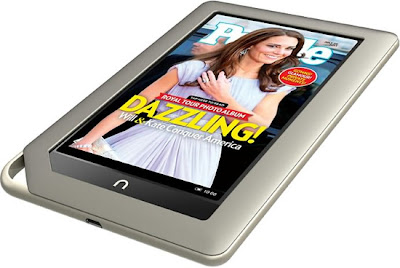
Nook Tablet
Nook is also one of the popular tablet for children, it has 7 inch high resolution screen with 1GHz dual core processor. The android tablet is completed with 16GB storage capacity. The tablet is actually made for adult, but it is very compact and useful for children as well. The price of the tablet is also very cheap. Many tablets for kids reviews love the tablet. Click Here for more reviews.

9. Classmate Netbook for kids

Classmate Netbook
The multipurpose tablet is completed with 10.1 inch touchscreen display. It is supported by 1.66GHz processor and 160GB HDD and 1GB RAM. It has WiFi and Ethernet connectivity with webcam. The tablet is served in $649. It will be a perfect gift for our children on their Birthday or Christmas. Click Here for more reviews.

4/16/2012

New SmartWatch with Android to Your Wrist


Do you find it too much of a hassle to pull out your phone every time you need to read a text or email? Well, luckily now you can just check your watch.

Sony on Thursday launched its SmartWatch, a wearable timepiece that allows owners to read their text messages, emails, and social media updates — all from their wrist. The SmartWatch connects to Android smartphones via Bluetooth, and then sends information from the phone directly to the watch.
The device comes with a black rubber strap, but fashion-conscious techies can purchase additional bands in pink, white, mint, gray, and blue. The face of the watch is actually an OLED touch screen measuring 1.3 inches. To alert users of incoming calls or other events, the device vibrates and displays a notification on the screen.

The SmartWatch also gives users hands-free control of their smartphone, allowing them to access music or snap photos on their phone from a distance. The SmartWatch works with most Android phones running version 2.1 and above.

"With just a tap, touch and swipe, SmartWatch turns from a watch displaying the time to a remote information center for your Android smartphone," Sony said in a news release.

The device is "dust proof and splash proof" and also comes with a rear-mounted clip, so the screen can be removed from the wristband and attached to clothing or a belt. Users can download apps that have been customized for the device on Google Play, formerly known as the Android Market.

The SmartWatch is available now for $149.99 in Sony stores and on the company's online marketplace. Extra straps will run you $19.95.

4/13/2012

Nokia Lumia 610 NFC all touch


Nokia Lumia 610 NFC is capable of being used as a travel ticket, or to pay for items, thanks to MasterCard's PayPass and Visa's payWave payment solutions.

With this infrastructure soon to be in place, I'm looking forward to leaving the house without my wallet and paying for everything by just using my phone.

With NFC coming at a more affordable price-point and with the backing and support of two of the world's leading credit card companies, it now seems that Nokia are bringing NFC to the masses. Exciting stuff...

When it comes to creating documents, spreadsheets or presentations, most of us use Microsoft Office. Now, for the first time outside of a Windows Phone, you can use Microsoft Office Mobile on your Nokia Symbian smartphone.
During the weekend, the Nokia Lumia 900 went on sale in the USA to AT&T customers. To mark the occasion, Nokia and Nicki Minaj took over Times Square and performed to a sea of excited people.
The Nokia Lumia 900 has also started to sell in Canada exclusively to Rogers Communications customers.

Nokia's newest member to the NFC-family is the Nokia Lumia 610 NFC, the companies eighth NFC-enabled phone. However, Nokia's NFC phone history began years ago.
After the launch of the Nokia Lumia 900 in the US, Nokia noticed a software issue that, in some cases, leads to a loss of data connectivity. As a good will gesture, Nokia is offering $100 credit to customers.